The Short Answer
- Over 70% of modern cards collectors believe are PSA 10 candidates come back as PSA 8 or 9.
- PSA evaluates four criteria: centering (10–15% weight), corners (20–25%), edges (20–25%), and surface (40–50%). The weakest area determines the grade.
- A $10 jeweler's loupe at 10x magnification catches flaws your eyes miss and pays for itself on the first submission it saves.
- The four top grade-killers for Pokemon cards are off-centering, edge whitening, print lines, and surface scratches from pack friction.
- AI pre-grading at $0.19/card automates this entire checklist in 5 seconds with 89% accuracy within ±1 grade point.
Why does pre-screening Pokemon cards before PSA submission matter?
Pre-screening is the single most cost-effective step in the card grading process. It is the difference between submitting 20 cards and getting 3 PSA 10s versus submitting 5 pre-screened cards and getting 3 PSA 10s. The first approach costs $1,599.80 in PSA Regular fees. The second costs $399.95. Same number of PSA 10s — $1,200 less in fees.
The problem is human optimism. A collector pulls a beautiful card from a booster pack, holds it up to the light, sees no obvious flaws, and assumes it is a PSA 10 candidate. Over 70% of the time, they are wrong. The card comes back PSA 8 or 9 because of flaws that were invisible without magnification or proper lighting. The $79.99 submission fee is spent, the grade is lower than expected, and the card is worth less than the grading cost.
Pre-screening eliminates this waste. By inspecting each card against the same four criteria PSA uses — centering, corners, edges, and surface — before submitting, you identify which cards are genuine PSA 10 candidates and which are not. You submit only the candidates. You save the submission fee on every card that would have missed Gem Mint.
With PSA's Value tiers paused since June 2, 2026, and Regular at $79.99/card, the cost of skipping pre-screening has never been higher. At $25/card (old Value pricing), a wasted submission was a $25 mistake. At $79.99/card, it is an $80 mistake. Pre-screening is no longer optional — it is essential grading economics.
What four criteria does PSA use to grade Pokemon cards?
PSA evaluates every card on four primary criteria. The overall grade reflects the weakest area, not an average — a card with perfect centering but damaged edges will receive a grade based on the edge damage. Understanding the weighting helps you prioritize your inspection:
| Criterion | Approx. Weight | What PSA Looks For | PSA 10 Standard |
|---|---|---|---|
| Surface | 40–50% | Scratches, print lines, ink spots, scuffs, holo wear, fingerprints | No scratches or print defects that diminish appeal |
| Edges | 20–25% | Whitening along edges, nicks, peeling, roughness | No chipping, whitening, or defects |
| Corners | 20–25% | Corner sharpness, bending, dings, fraying at tips | Perfectly sharp, no flaws |
| Centering | 10–15% | Border alignment front and back, measured as ratio | 55/45 front, 75/25 back (2025 standard) |
Surface carries the most weight, which is why two cards that look identical to the naked eye can grade differently. One has a hairline scratch visible only under magnification. That scratch drops it from a 10 to a 9. Centering carries the least weight but is the most common reason cards miss PSA 10 — because it is the easiest defect to measure and the most common manufacturing imperfection.
The key insight: the overall grade reflects the weakest area, not an average. A card with 10/10 centering, 10/10 corners, 10/10 edges, but 9/10 surface will receive a PSA 9, not a PSA 9.75. This means your pre-screening inspection must identify the single weakest criterion on each card — because that is what will determine the grade.
Step 1: How to check centering for PSA 10 eligibility?
Always start with centering. It is the easiest criterion to measure and the most common reason cards fail to achieve PSA 10. PSA's current standard (tightened in early 2025) requires 55/45 or better on the front and 75/25 or better on the back for PSA 10.
Manual method: Measure the border widths on opposite sides of the card in millimeters. Calculate the ratio: smaller border ÷ sum of both borders × 100. If the result is 45% or higher (meaning 55/45 or better), the card passes centering for PSA 10. If it is below 45% (meaning worse than 55/45), the card's ceiling is PSA 9 — do not submit expecting a 10.
AI method: Upload a photo to the centering analysis tool and get exact ratios for both axes in 10 seconds. The AI also detects diamond cut and rotational tilt that manual measurement can miss.
Check both axes: left-right AND top-bottom. A card can be perfectly centered horizontally but off-center vertically. Both must meet 55/45 for PSA 10. Also check the back — though the 75/25 back tolerance is very forgiving, dramatically off-center backs do exist.
If your card's front centering is worse than 60/40 on either axis, your ceiling is PSA 9 at best. Do not submit expecting a miracle. PSA graders are inconsistent (9% of PSA 10s under the new standard actually measure past 55/45), but 91% of the time, a card past 55/45 will not receive Gem Mint.
Step 2: How to inspect card edges for whitening and chipping?
Edge whitening is the number one grade-killer for modern Pokemon cards. Even one visible white speck along an edge drops a card from PSA 10 to PSA 9. The colored layer of the cardstock chips away, revealing the white core beneath — and this can happen from pack friction during manufacturing, before you have even touched the card.
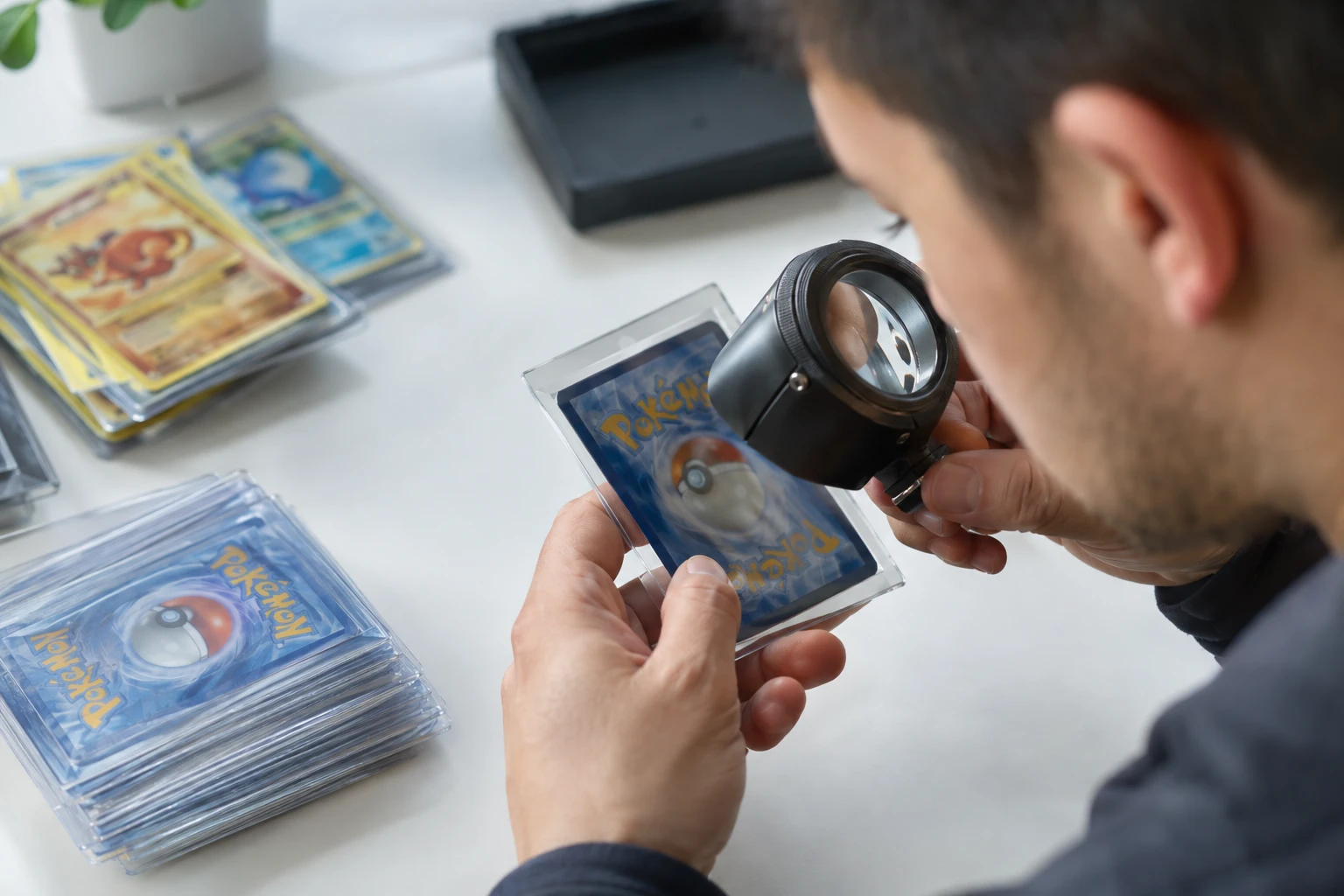
Inspection method: Tilt the card under a bright light source and slowly scan each edge at 10x magnification with a jeweler's loupe. You are looking for:
- Whitening: Tiny white specks where the card's core layer shows through the colored surface. Most common on darker-bordered cards and on the back where the blue border meets the edge.
- Chipping: Small pieces of the colored layer missing from the edge, creating visible white spots.
- Rough cuts: Uneven or jagged edges from the printing/cutting process. More common on vintage cards.
- Nicks and dents: Small indentations along the edge from handling.
- Delamination: Peeling or separation of the card layers at the edge.
Use raking light inspection: position a light source at a low angle across the card's edges. This makes any wear or whitening immediately visible. Many experienced collectors use a small LED flashlight or phone flashlight for this purpose. Check all four edges from multiple angles.
Edge whitening is particularly common on darker-bordered cards and on cards pulled from tightly-packed booster packs or Elite Trainer Boxes. Inspect edges immediately after opening — before sleeving — because the sleeving process itself can add micro-wear. If you find any visible whitening under 10x magnification, that card's PSA 10 odds just dropped below 10%.
Step 3: How to check card corners for PSA 10 quality?
Corners should be sharp and clean. Any softness, rounding, or dings visible under magnification will cost at least one grade point. Corner damage is common on cards that were stored loose in a stack, handled during gameplay, or damaged during the cutting process at the factory.
Inspection method: Examine each of the four corners under 10x magnification with a jeweler's loupe. Use bright, direct light and tilt the card to catch light at different angles. Look for:
- Whitening: The most common corner defect. The colored layer chips away at the corner point, revealing the white core. Even a tiny spec of whitening visible at 2–4x zoom can drop a card from PSA 10 to PSA 9.
- Dings: Small dents or nicks at the corner point, often caused by handling or poor storage.
- Rounding: The corner has lost its sharp point and appears slightly rounded. Common on played or loosely stored cards.
- Fraying: The corner appears fuzzy or has loose fibers, typically from cards that have been shuffled or handled frequently.
Check all four corners on both the front and back of the card. A perfect front with a dinged back corner will not get a PSA 10. Corner issues are often asymmetric — one corner may be perfect while another has a micro-ding from pack contact.
Factory corner dings are particularly frustrating because they are present from the moment the card is printed. The cutting process can create slight imperfections at the corners, and there is nothing the collector can do to prevent them. This is another reason pre-screening matters: if a card has a factory corner ding, no amount of careful handling will make it a PSA 10 candidate.
Step 4: How to examine card surface for scratches and print lines?
Surface is the highest-weighted criterion (40–50% of the grade) and the trickiest to inspect because many surface defects only appear under specific lighting conditions. A card that looks flawless under normal room light may reveal hairline scratches under angled LED light.
Inspection method: Hold the card at a 30–45 degree angle under a bright LED light. Slowly rotate it through all angles. You are looking for:
- Scratches: Fine scratches across the card surface, especially on holographic or foil areas. These are often invisible until light hits at the right angle.
- Print lines: Lines embedded during the printing process. These are not the collector's fault but still affect the grade. Modern sets have fewer print lines than older sets, but they still occur.
- Indentations: Small dents from pressure or stacking. These may not be visible as scratches but can be detected by tilting the card to catch light on the indented area.
- Ink spots: Small dots of excess ink from the printing process.
- Holo wear: On holographic cards, check the holo area specifically. Holo surfaces pick up micro-scratches from pack friction during manufacturing.
- Scuffs: Light surface abrasions that may appear as cloudy patches under angled light.
- Fingerprints: Oils from skin contact can leave visible marks under grader lighting. Clean only with a dry microfiber cloth — never use chemicals.
For holographic cards, the holo area is the most critical surface inspection zone. Tilt the card slowly under a single bright source and look for fine scratches in the holo pattern. These scratches are extremely common on pack-fresh holo cards because the foil surface rubs against other cards during packaging and transit.
Light surface cleaning before submission removes fingerprints and dust that could appear as surface issues under grader lighting. The only safe method is a clean, dry microfiber cloth with minimal pressure. Never use alcohol, chemical cleaners, or abrasive materials — any chemical residue or scratch introduced during cleaning will be visible to graders and can turn a borderline 9 into an 8. Do not attempt to clean corners or edges.
Step 5: Why do you need to inspect the back of the card too?
PSA grades both sides. A perfect front with a scratched back will not get a 10. Many collectors focus entirely on the front and are surprised when their card comes back PSA 9 because of back-side issues they never checked.
Repeat the full inspection for the back of the card:
- Back centering: The tolerance is 75/25 for PSA 10, which is very forgiving. Most cards pass this easily, but check anyway.
- Back edges: Edge whitening on the back is actually more common than on the front, because the blue (or colored) border on the back meets the card edge directly. Scan all four back edges under raking light at 10x magnification.
- Back corners: Check all four back corners for whitening, dings, and rounding. Back corner issues are just as grade-damaging as front corner issues.
- Back surface: Look for scratches, print lines, and scuffs on the back. The back surface is less scrutinized than the front (surface weight is lower for backs), but significant defects will still prevent PSA 10.
A common pattern: a card has a pristine front but the back has edge whitening along the blue border from pack contact. The front would grade PSA 10, but the back edges cap it at PSA 9. This is why full pre-screening — front and back — is essential.
When photographing a card for AI pre-grading, always include both front and back images. The PreGradeCards AI grading service analyzes both sides and provides sub-scores for each criterion on each side, giving you a complete picture of the card's grade potential before you submit.
Step 6: How do you calculate if grading a Pokemon card is worth the cost?
Even if a card passes all four pre-screening criteria as a PSA 10 candidate, the submission only makes sense if the math works. With PSA Regular at $79.99/card (Value tiers paused), the grading premium must cover the submission cost plus shipping, insurance, and supplies.
The break-even formula:
PSA 10 Market Value − Raw Card Value ≥ Submission Cost + Shipping + Insurance + Supplies
Example calculation: You have a Mega Darkrai ex SIR from Pitch Black with a raw value of $300. PSA 10 market value is estimated at $2,875 (based on PriceCharting data for the SIR variant). Submission cost at PSA Regular: $79.99. Shipping (two-way): ~$15. Insurance: ~$5. Supplies: ~$3. Total cost: ~$103.
Grading premium: $2,875 − $300 = $2,575. Cost: $103. Net gain: $2,472. Grade it.
Another example: You have a common foil Pikachu from 30th Celebration with a raw value of $5. PSA 10 market value: maybe $15. Total cost: $103. Net gain: $15 − $5 − $103 = −$93. Do not grade it.
General rules for August 2026 pricing:
- Cards worth under $50 raw: Do not grade. At current pricing, no tier makes economic sense. Sell raw or keep raw.
- Cards worth $50–$250 raw (TCG): Consider CGC Economy at $15–18/card. The PSA resale premium usually does not cover the $65 price difference over CGC for mid-value TCG cards.
- Cards worth $250+ raw: PSA Regular at $79.99/card. The resale premium for PSA 10 covers the cost.
- Vintage cards (pre-1980 sports): SGC Standard at $18/card. Best combination of price, speed, and vintage market recognition.
Rate each card honestly after pre-screening. If you found any visible flaw under 10x magnification — any whitening, any scratch, any print line — that card's PSA 10 odds just dropped below 10%. Submit it only if the break-even math still works at PSA 9. If it does not work at PSA 9, do not submit.
Can AI automate the entire pre-grading checklist?
Yes. AI pre-grading automates all six steps of this checklist in approximately 5 seconds per card. The PreGradeCards AI grading service analyzes centering, corners, edges, and surface from front and back photos, returns predicted PSA and BGS grades with sub-scores for each criterion, and provides a pass/fail assessment against PSA 10 standards.
The AI achieves 89% accuracy within ±1 grade point compared to PSA final grades (internal benchmark study, n=10,000 cards, June 2026). It measures centering with 99.2% precision — higher than human ruler measurement. It checks all 47 inspection points across both sides of the card, including edge whitening, corner sharpness, surface scratches, print lines, and diamond cut detection.
At $0.19 per card, the cost of AI pre-grading 20 cards is $3.80. If the AI identifies 5 as PSA 10 candidates and 15 as likely PSA 8–9, you submit only the 5. At PSA Regular pricing, that saves $1,199.85 in wasted submission fees on the 15 cards that would have come back below Gem Mint.
The workflow is simple:
- Photograph the front and back of each card under bright, even light.
- Upload to PreGradeCards AI grading.
- Review the predicted grade and sub-scores for each card.
- Submit only cards predicted at PSA 9.5–10.0 to PSA at $79.99/card.
- Submit cards predicted at PSA 9.0–9.5 to CGC Economy at $15–18/card.
- Sell or keep raw cards predicted below PSA 9.0.
AI pre-grading does not replace professional grading — it does not produce an official slab or certification. But it is the most efficient filter available for deciding which cards deserve the $79.99 submission fee. In a market where PSA's cheapest tier is $79.99 and the backlog is 12.4 million cards, pre-screening is the difference between a profitable grading strategy and an expensive guessing game.
Frequently Asked Questions
What percentage of Pokemon cards submitted to PSA come back as PSA 10?
Do I need a jeweler's loupe for pre-grading?
Can I clean a Pokemon card before submitting it for grading?
Is it worth grading Pokemon cards in 2026 with PSA at $79.99 per card?
What is the most common reason Pokemon cards miss PSA 10?
Does AI pre-grading replace PSA submission?
Sources & Further Reading
- What Makes a Pokemon Card PSA-Eligible? Grading Readiness Checklist (Ravaver)
- The Pre-Screen Method: Sorting Cards Before PSA Submission (PokemonPricing)
- Pokemon Card Grading Tips: Maximize Your PSA 10 in 2026 (PokemonPriceTracker)
- How to Prepare Pokemon Cards for Grading (PokeSnap)
- PSA Grade from a Photo: Pokemon Card Pre-Submission Check (CardGrading.app)
Sarah Williams leads PreGradeCards educational content and collector onboarding. She has been a full-time collector and dealer for 12 years, specializing in modern sports cards and Pokémon TCG, and has written grading guides read by over 300,000 collectors.
With submission floors rising, pre-screening is no longer optional. Use our AI Pre-Grade Calculator to score a card's PSA 10 odds before you pay, and the Submission Planner to pick the right tier.