The Short Answer
- Free card condition check tools analyze your card photo and provide a PSA-style condition label with subgrades in seconds. PreGradeCards offers 30 free credits on signup.
- The PSA condition scale runs from Poor (1) to Gem Mint (10): Poor, Good, Very Good, Very Good-EX, Excellent, Excellent-NM, Near Mint-Mint, Mint, Gem Mint.
- Card condition is assessed on four criteria: centering (border measurement), corners (sharpness and wear), edges (whitening, chipping, peeling), and surface (scratches, print lines, stains).
- Free AI condition checks are 89% accurate within ±1 grade point compared to PSA final grades, making them reliable enough for pre-screening decisions.
- Condition checks are essential before buying or selling raw cards online — they help you avoid overpaying for cards in worse condition than advertised.
- PreGradeCards condition check generates eBay-compatible condition labels (Gem Mint, Near Mint-Mint, Near Mint, etc.) that you can paste directly into marketplace listings.
Short Answer: Can You Check Card Condition Online for Free?
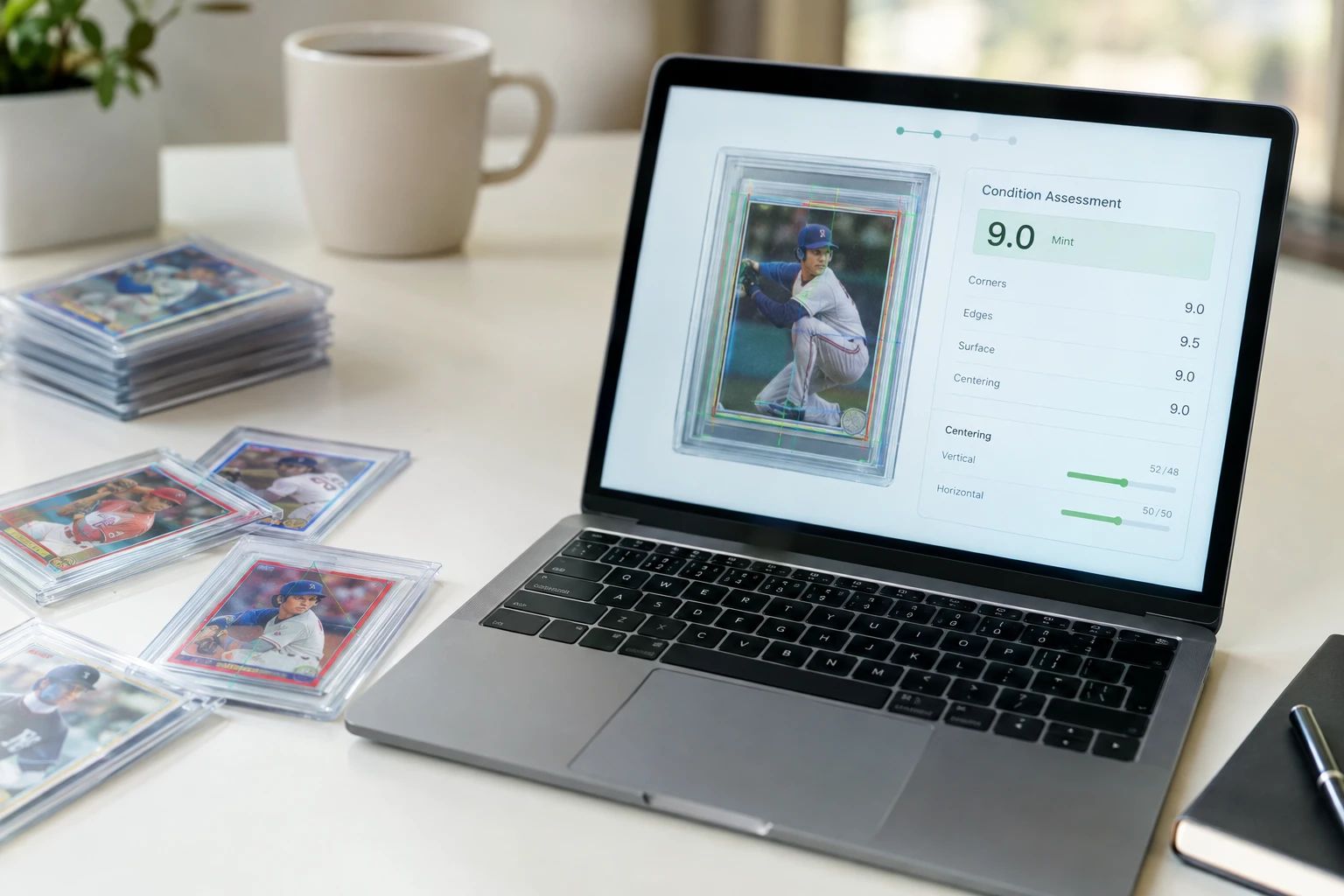
Yes, you can check card condition online for free in 2026. AI-powered condition check tools like PreGradeCards analyze a photo of your card and provide a PSA-style condition label with subgrades for centering, corners, edges, and surface — all at no cost.
PreGradeCards offers 30 free credits on signup. The Quick Condition Check service provides fast condition labels compatible with eBay, TCGPlayer, and Cardmarket — ideal for bulk inventory triage or when you need a quick assessment before buying or selling.
Unlike full AI grading, which predicts a specific numeric grade (e.g., PSA 9.5), a condition check provides a broader condition category (e.g., "Near Mint-Mint," "Near Mint," "Excellent"). This is useful when you need a quick assessment for marketplace listings, insurance purposes, or deciding whether a card is worth a full grading submission.
The PSA Card Condition Scale Explained
PSA uses a 1-10 grading scale with specific condition labels. Understanding this scale is essential for any collector:
| Grade | Label | Description | Typical Defects |
|---|---|---|---|
| 10 | Gem Mint | Perfect card, no visible flaws | None — all four subgrades perfect |
| 9 | Mint | Near-perfect, one minor flaw | Slight corner fuzz, 55/45 centering, minor print line |
| 8 | NM-MT | Near Mint-Mint, a few minor flaws | Slight edge wear, 60/40 centering, light surface wear |
| 7 | NM | Near Mint, visible minor wear | Corner wear, edge whitening, minor surface scratch |
| 5-6 | EX to EX-NM | Excellent, moderate wear | Multiple corner dings, visible scratches, 70/30 centering |
| 3-4 | VG to VG-EX | Very Good, significant wear | Creases, heavy corner wear, stains, heavy surface wear |
| 2 | Good | Heavy wear but intact | Multiple creases, heavy staining, significant paper loss |
| 1 | Poor | Minimum grade, barely collectible | Severe damage, missing pieces, heavy creasing |
For modern cards, collectors target PSA 9-10. For vintage cards, PSA 5-8 is considered excellent. Understanding where your card falls on this scale helps you decide whether to grade, sell raw, or hold.
The Four Card Condition Criteria
Every card condition assessment — whether by PSA, BGS, CGC, or AI — evaluates four criteria:
1. Centering
Centering measures how evenly the image is positioned within the card borders. It is expressed as a ratio: 50/50 is perfectly centered, 60/40 means one side has 60% of the border and the other has 40%. PSA allows up to 60/40 on the front and 75/25 on the back for a PSA 10. Centering is the most objective criterion — it is a pure measurement that can be calculated precisely.
AI grading tools measure centering with near-perfect accuracy by analyzing the pixel distances between the card image and the border on all four sides. This is the one area where AI grading is arguably more precise than human grading.
2. Corners
Corners are the most common grade killer. All four corners should be razor-sharp with no rounding, dings, or fuzzing. Even a slightly soft corner — barely visible to the naked eye — can drop a card from PSA 10 to PSA 9. Use a 10x-20x jeweler's loupe to inspect corners; what looks fine to your eyes may reveal fuzzing under magnification.
AI grading examines corners with pixel-level analysis. It can detect micro-fuzzing that humans might miss, but it may also miss defects that are only detectable by touch (a slightly soft corner may look sharp in a photo but feel soft to a grader's trained fingers).
3. Edges
Run your eye along all four edges. Look for whitening (especially common on dark-bordered cards), nicks, rough cuts, or peeling layers. Edge whitening is the number one reason modern cards lose grades. Check both front AND back edges — the back edge condition matters too.
AI grading scans the entire edge perimeter for whitening, chipping, and roughness. It is particularly effective at detecting edge whitening on dark-bordered cards (Panini Prizm, Pokemon dark borders) where the contrast makes whitening obvious in photos.
4. Surface
Surface is the trickiest category. Scratches, print lines, holo scratches, fingerprints, and ink spots all count against you. Holofoil cards are especially vulnerable — tilt them under direct light to reveal scratches invisible at normal angles. Print lines are factory defects but still affect the grade.
AI grading looks for surface imperfections in your photo. It can detect scratches, print lines, and stains if they are visible in the image. However, surface assessment is the most photo-dependent criterion — if lighting is poor or glare obscures the surface, the AI cannot assess it accurately.
How to Check Card Condition at Home
You can perform a basic condition check at home before using AI grading or submitting to PSA. Here is the process:
Step 1: Visual inspection under bright light. Use a desk lamp with a 5000K-6500K daylight LED bulb. Examine the card front and back under direct light. Look for obvious defects: creases, stains, heavy corner wear, significant surface scratches.
Step 2: Corner inspection with a loupe. Use a 10x-20x jeweler's loupe ($10-15 on Amazon) to examine all four corners. Look for fuzzing, dings, and rounding. If any corner looks soft under magnification, the card will not grade PSA 10.
Step 3: Edge inspection. Hold the card at eye level and look along each edge. Look for whitening, chipping, and rough cuts. Pay special attention to dark-bordered cards where whitening is most visible.
Step 4: Surface inspection with raking light. Tilt the card under your desk lamp so the light grazes the surface at a low angle. This reveals scratches, print lines, and holo scratches that are invisible under direct lighting. This is especially important for holofoil cards.
Step 5: Centering measurement. Use a ruler or centering tool to measure border widths. For standard cards, measure left vs right border and top vs bottom border. Calculate the ratio: if left is 1.5mm and right is 2.5mm, that is 62.5/37.5 — above the 60/40 PSA 10 threshold.
Step 6: UV light check (vintage cards only). Use a UV/black light in a dark room to check for recoloring on vintage cards. Recolored corners will fluoresce under UV light.
Step 7: AI condition check. Photograph the card (both sides) and upload to PreGradeCards for a free AI condition check. Compare the AI assessment with your own visual inspection. If they agree, you have a reliable condition assessment. If they disagree, re-examine the card.
How AI Condition Checks Work
AI condition check tools use computer vision to analyze your card photo and provide a condition assessment. Here is what happens behind the scenes:
Image processing: The AI first detects the card in your image, isolates it from the background, and normalizes for lighting and angle. This ensures consistent analysis regardless of photo quality.
Feature extraction: The AI extracts features from the card image — corner sharpness, edge quality, surface texture, border measurements. These features are compared against a database of thousands of professionally graded cards.
Grade prediction: The AI uses machine learning models trained on graded card images to predict the condition. PreGradeCards was trained on 10,000+ cards that were both AI-graded and professionally graded, achieving 89% accuracy within ±1 grade point.
Condition label generation: The AI converts the numeric grade prediction into a condition label: Gem Mint (10), Mint (9), Near Mint-Mint (8), Near Mint (7), Excellent (5-6), Very Good (3-4), Good (2), Poor (1). These labels are compatible with eBay, TCGPlayer, and Cardmarket listing conditions.
Subgrade breakdown: In addition to the overall condition, the AI provides individual subgrades for centering, corners, edges, and surface. This tells you exactly where the card is strong and where it is weak — useful for deciding whether to submit to PSA (which does not provide subgrades) or BGS/CGC (which do).
eBay and Marketplace Condition Labels
One of the most practical uses of free AI condition checks is generating condition labels for marketplace listings. PreGradeCards provides eBay-compatible condition labels that you can paste directly into your listings:
| AI Condition | eBay Condition | Typical Use |
|---|---|---|
| Gem Mint (10) | "Gem Mint" / "PSA 10 Candidate" | Premium raw card listings |
| Mint (9) | "Mint" / "PSA 9 Candidate" | High-quality raw card listings |
| Near Mint-Mint (8) | "Near Mint-Mint" / "Lightly Played" | Standard quality listings |
| Near Mint (7) | "Near Mint" / "Moderately Played" | Used card listings |
| Excellent (5-6) | "Excellent" / "Heavily Played" | Discounted listings |
| Very Good or worse (1-4) | "Played" / "Damaged" | Budget / parts listings |
PreGradeCards also generates a ready-to-paste eBay listing title (up to 80 characters), item description, and suggested price based on the condition assessment. This saves time when listing cards for sale and provides buyers with confidence in the condition assessment.
Using Free Condition Checks for Buying and Selling
Free AI condition checks are valuable for both buying and selling raw cards:
For sellers:
- Get an accurate condition label before listing — avoid disputes from buyers who disagree with your condition assessment
- Set realistic prices based on condition — a "Near Mint" card should be priced lower than a "Gem Mint" card
- Generate professional listing descriptions with AI-assessed subgrades
- Include a shareable PreGradeCards report URL in your listing for buyer confidence
For buyers:
- Ask the seller for a PreGradeCards condition check before buying raw cards online
- Verify condition claims — if a seller says "Mint" but the AI says "Near Mint," negotiate the price down
- Screen cards after receiving them — if the condition is worse than advertised, you have evidence for a return claim
- Identify grading candidates — if you buy a raw card and the AI says PSA 10 candidate, you can submit to PSA for profit
For collectors:
- Assess your collection condition without paying for professional grading
- Track condition changes over time — re-check cards periodically to monitor for degradation
- Sort your collection by condition — identify your best cards for future grading submissions
- Insurance documentation — timestamped condition reports can support insurance claims
Tools for Checking Card Condition at Home
Here is what you need for effective at-home card condition checking:
- Daylight LED desk lamp (5000K-6500K): $15-25. Bright, adjustable lighting is non-negotiable. Overhead room lighting is not sufficient — you need direct, tiltable light to catch surface scratches and print lines.
- Jeweler's loupe (10x-20x): $10-15. Reveals corner fuzzing, edge whitening, and surface imperfections invisible to the naked eye. A phone camera with macro mode works in a pinch, but a loupe is better for real-time inspection.
- UV/black light: $8-15. Reveals recoloring, cleaning marks, and certain types of surface damage. Particularly useful for vintage cards where previous owners may have attempted "cleaning" or touch-ups.
- Ruler or centering tool: $5-10. For measuring border widths and calculating centering ratios. A digital caliper provides even more precision.
- Microfiber cloth: $3-5. For gently cleaning card surfaces before inspection. Do not use cleaning solutions — they can damage card surfaces, especially holos.
- Cotton gloves: $5-8. For handling vintage and high-value cards. Oils from your fingers can cause staining over time.
- Smartphone or digital camera: For photographing cards to upload to PreGradeCards for free AI condition checks. Modern phone cameras are more than sufficient.
Total cost: under $60 for a complete home condition-checking setup. Compare this to a single PSA Regular submission at $79.99 — the tools pay for themselves with one avoided bad submission.
Common Card Defects and How They Affect Grade
Here is a reference guide to the most common card defects and their typical grade impact:
Corners:
- Sharp, perfect corners: No grade impact — PSA 10 candidate
- Slight fuzzing (visible only under loupe): Drops to PSA 9
- Lightly soft corner: Drops to PSA 8
- Visible corner wear/rounding: Drops to PSA 5-7
- Heavy corner damage/creasing: Drops to PSA 1-4
Edges:
- Clean, sharp edges: No grade impact — PSA 10 candidate
- Minor edge whitening (1-2 spots): Drops to PSA 9
- Visible edge whitening (multiple edges): Drops to PSA 7-8
- Heavy edge wear/chipping: Drops to PSA 5-6
- Severe edge damage/peeling: Drops to PSA 1-4
Surface:
- Clean, smooth surface: No grade impact — PSA 10 candidate
- Minor print line or micro-scratch: Drops to PSA 9
- Visible scratches or multiple print lines: Drops to PSA 7-8
- Heavy scratching, stains, ink spots: Drops to PSA 5-6
- Creases, heavy staining, paper loss: Drops to PSA 1-4
Centering:
- 50/50 to 55/45: Perfect to excellent — PSA 10 candidate
- 55/45 to 60/40: Acceptable for PSA 10 (front), PSA 9 if borderline
- 60/40 to 65/35: Drops to PSA 8-9
- 65/35 to 70/30: Drops to PSA 7-8
- 70/30 or worse: Drops to PSA 5-6, max PSA 7 with otherwise perfect card
Frequently Asked Questions
Can I check card condition online for free?
How accurate is AI card condition checking?
What is the PSA condition scale?
What are the four card condition criteria?
How do I check card condition at home?
Can I use AI condition checks for eBay listings?
Sources & Further Reading
- PreGradeCards Quick Condition Check
- PreGradeCards AI Grading Benchmark Study
- PSA Grading Standards
- PreGradeCards Card Grading Service
The PreGradeCards Research Team combines machine-learning engineers, grading analysts, and collector-education specialists to produce accurate, data-driven guides on AI card grading, professional grading standards, and collecting strategy.
Create a free account and get 2 free credits — enough for 2 complete AI gradings with market pricing. No credit card required.
Get Your Free Credits →