The Short Answer
- TCGplayer's free Android app (Android 9+) scans every TCGplayer game and shows market price; CollX and Ludex also cover Pokémon.
- Google Lens is built into most Android phones and can identify a Pokémon card for free without installing anything.
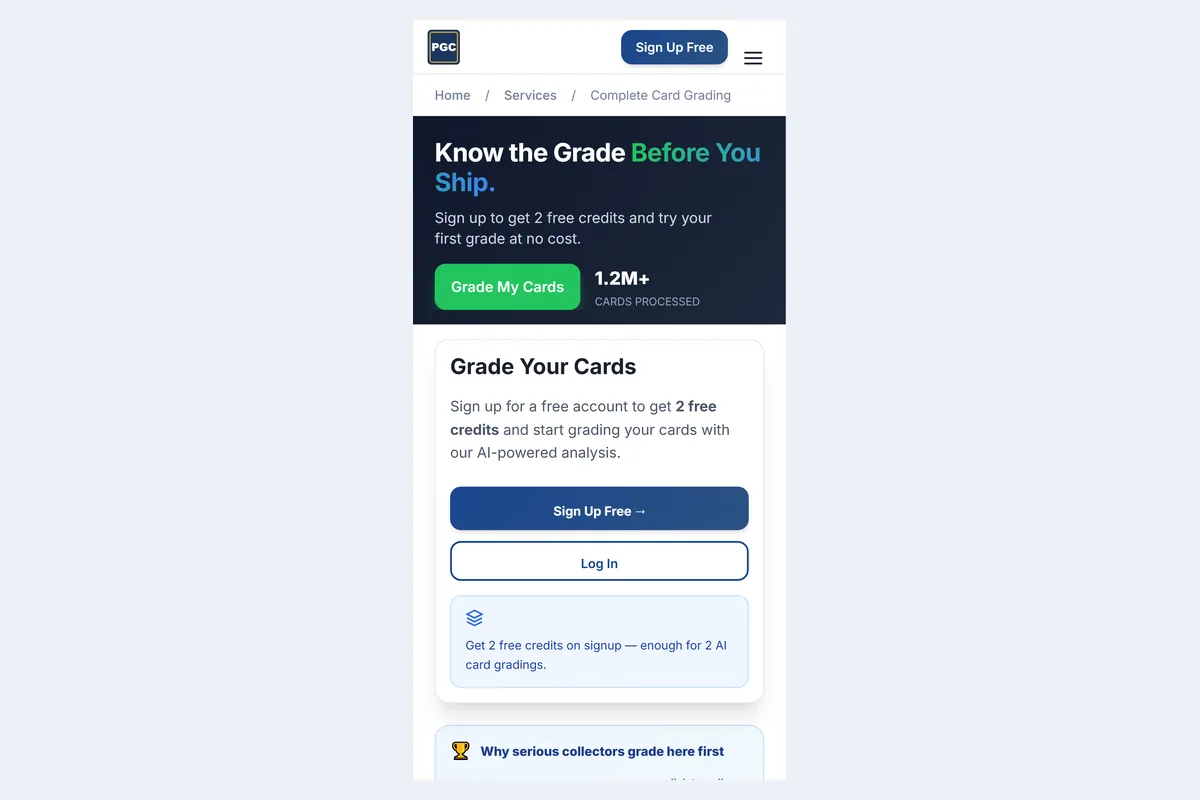
- No scanner grades condition. To estimate PSA, CGC or TAG grades, use an AI grader such as PreGradeCards in Chrome (2 free credits).
- Samsung's Scene Optimizer and Pixel's Night Sight can hide holo scratches — turn them off for grading photos.
- Always confirm set number and finish (holo, reverse holo) because reprinted art fools every scanner.
Quick answer: best Pokémon card scanner app for Android
For identifying and pricing Pokémon cards on Android, the free TCGplayer app (Android 9 or newer), CollX and Ludex all work well, and Google Lens can name a card with no app at all. For condition — whether a pull could be a PSA 10, CGC Pristine 10 or TAG 10 — use an AI grader: PreGradeCards runs in Chrome with no install and 2 free credits.
Android searches like "pokemon card scanner android", "pokemon tcg scanner android" and "pokemon card scanner app free" are dominated by app-store listings and APK mirrors. This guide explains what each option actually does so you don't install three apps that all do the same job.
Android Pokémon scanner comparison
| Option | Identify | Price | Grade condition | Cost | Needs install |
|---|---|---|---|---|---|
| Google Lens | Usually | Shopping results only | No | Free | Built in on most phones |
| TCGplayer | Yes | TCGplayer market price | No | Free | Play Store (Android 9+) |
| CollX | Yes | Average value | No | Free; Pro $9.99/mo | Play Store |
| Ludex | Yes | Sold-based value | No | Free 200 scans/mo; from $4.99/mo | Play Store |
| PreGradeCards | Yes | Sold + active comps | Yes, with sub-grades | 2 free credits; packs from $9.99 | No — Chrome, installable |
Google Lens: the free Pokémon scanner already on your phone
On most Android phones, Google Lens is available from the camera app, the Google app or the search bar. Point it at a card and it usually returns the card name and shopping listings. It is ideal for quick identification at a card show or for checking an unfamiliar Japanese promo.
Limitations: shopping results mix graded and raw listings and different printings, so they are not a reliable price. Lens also cannot judge condition. Use it to identify, then confirm price in TCGplayer or comps. More detail in our Google Lens and Visual Look Up guide.
TCGplayer app on Android
TCGplayer's help centre lists Android 9 (API level 28) as the minimum. The app scans one card at a time from any game on TCGplayer and lets you set foil, condition and language for the exact market price. It works through sleeves and binder pages if the card is centred and glare-free, and TCGplayer recommends a plain background that contrasts with the border.
Because it identifies mainly by artwork, it can choose the wrong printing for reprinted art — confirm the set. If scanning stops working, see TCGplayer app scanner not working: fixes.
CollX and Ludex for Pokémon
CollX started in sports but now covers Pokémon, Magic, Yu-Gi-Oh!, One Piece, Lorcana and more, with an average market value and its own marketplace. The app is free; Pro is $9.99 per month or $99.99 per year.
Ludex bases values on completed sales and is strong for listing on eBay. The free plan includes 200 identified scans a month and a 60-card portfolio; Lite is $4.99 per month for unlimited scans in one category, such as Pokémon.
Neither grades condition. For a head-to-head, read CollX vs Ludex vs Card Ladder vs PreGradeCards.
Grading Pokémon cards on Android
Open PreGradeCards in Chrome, sign in with Google and tap the camera. Photograph the front and back; you get predicted PSA, BGS, CGC and TAG grades, centering ratios and corner, edge and surface sub-grades with defect notes, plus comps for the card.
What to watch for on Pokémon cards: front centering (PSA 10 needs about 55/45–60/40), whitening on the blue back, holo scratches and print lines, and silvering on modern edges. A free Photo Check tells you whether your photo is sharp enough before you spend a credit.
Pixel and Galaxy settings for Pokémon card photos
- Pixel: main 1x lens or 2x zoom, no Night Sight, tap to focus on a corner, lower exposure slightly for white borders, grid on.
- Galaxy: Scene Optimizer off, Pro mode ISO 100–200 with manual focus, Focus enhancer for corners on S Ultra/Plus, grid and level on.
- All phones: no flash for grading photos, soft light at 45°, card out of the top loader, phone parallel.
Our photo guide has a full checklist.
Pokémon card value apps in the UK and Australia
Searches like "pokemon card value app uk" and "pokemon card value app australia" are common because many scanners default to US dollar prices. Check whether an app lets you switch currency or marketplace. TCGplayer prices are US market prices; for UK and EU cards, Cardmarket is the main reference marketplace. PreGradeCards shows comps in the currency of the listings it finds and lets you judge whether a grade is worth it for your local market.
Grading fees and shipping also differ outside the US — PSA, CGC and TAG all have regional considerations — so factor customs and insured shipping into the decision.
Why the price a scanner shows isn't the price you'll get
Scanner prices are usually raw near-mint market prices. Three things move the real number: condition (most opened cards are not true near mint), finish and language (holo, reverse holo, Japanese) and grade. A card listed at $60 raw might sell for $45 lightly played, $70 in a PSA 9 and $200 in a PSA 10 — and the scanner shows only one of those numbers.
For grading decisions, compare graded comps for the card at 9 and 10, look at the population report to see how scarce gem copies are, and then check your copy's condition with an AI grade. The pop report tool and the comps in a PreGradeCards result cover both.
Japanese, Chinese and other-language Pokémon on Android
Japanese sets release earlier, use different set codes and often have different rarity symbols. Scanners handle major Japanese sets but frequently default to English prices. Switch the language before reading the value, and use Lens to translate the set name if needed. For grading, the same centering, corner, edge and surface rules apply; Japanese cards are often praised for better print quality and centering, which can make PSA 10s more attainable on some sets.
Chinese Simplified and Korean cards are increasingly collected; pricing data is thinner, so graded comps are the most reliable guide.
Bulk sorting on Android: scanning a binder fast
- Lay out a binder page on a plain mat under even light.
- Scan cards one by one in TCGplayer or CollX — TCGplayer notes it won't scan the same card twice in a row, so alternate cards.
- Export or note anything above your value threshold.
- Pull those cards from the binder for clean, sleeve-free grading photos.
- Batch-grade the shortlist and keep a list of predicted 10s.
See how to screen 100 cards with batch AI grading for larger collections.
Scanners and fake Pokémon cards
Because scanners identify artwork, a convincing counterfeit scans as the real card — and gets the real card's price. Before you buy or grade a high-value card, check the font, energy symbols, holo pattern, card thickness and the back's blue tone. Our Pokémon card checker guide lists free phone tests, and the counterfeit guide covers the details.
How accurate are Android Pokémon scanners?
Identification accuracy is high for English cards from recent sets and drops for promos, error cards, older Japanese sets and cards whose art was reprinted. The most common failures are wrong printing (Base Set vs reprint), wrong finish (holo vs reverse holo) and wrong language. Pricing accuracy depends on how the app sources sales: market-price averages smooth out spikes, while sold-listing based values react faster but can be skewed by a single unusual sale.
Condition accuracy is a separate question that scanners don't attempt. AI graders like PreGradeCards report about 89% agreement within one grade point of professional grades when the photo is sharp, and show centering ratios and sub-grades so you can see the reasoning rather than trusting a single number.
Using an Android tablet or Chromebook
Tablets have larger screens for reviewing results but often weaker rear cameras. A good split is to photograph on your phone and review grades and comps on the tablet or Chromebook — with a web grader, both devices share the same account and history. Avoid using a tablet's front camera for grading photos.
Storing cards between scanning and grading
Between scanning and shipping, protect shortlisted cards: penny sleeve plus a semi-rigid or top loader, stored upright in a box away from humidity and sunlight. Humidity can cause holo haze and slight warping on modern foil stock; a silica gel pack in the storage box helps. Don't stack loose cards or use rubber bands — both create dents and edge wear that will show up in your grade.
Pokémon scanner glossary
- Market price: a recent average of sales on a marketplace.
- Sold comps: individual completed sales used to judge value.
- Reverse holo: foil on the card body rather than the art window; priced differently from holo.
- SIR / IR: special illustration rare / illustration rare, modern chase rarities.
- Pop report: how many copies a grader has graded at each grade.
- Pre-grade: an estimate of the grade before professional grading.
A simple Android workflow for new pulls
- Sleeve hits as you open.
- Identify and price with TCGplayer, CollX or Lens.
- Shortlist cards worth several times the grading fee.
- Pre-grade the shortlist in Chrome.
- Pick the company with our PSA vs TAG vs CGC guide.
- Estimate fees with the PSA cost calculator.
Why a grader and a scanner together beat any single app
A scanner answers "what is it and what does it sell for"; a grader answers "how good is my copy". Pokémon's price curve is steep at the top — a PSA 10 modern alt art frequently sells for multiples of a PSA 9 — so knowing the likely grade before paying a fee is where the money is saved. Using one free scanner plus one AI grader covers both questions with no subscriptions.
Frequently Asked Questions
What is the best free Pokémon card scanner for Android?
The TCGplayer app is free and scans all TCGplayer games on Android 9+. CollX and Ludex also have free tiers. Google Lens identifies cards without installing anything.
Can Google Lens identify Pokémon cards?
Usually, yes. It returns the card name and shopping results, but those results mix printings and graded cards, so confirm the price elsewhere.
Is there a Pokémon card grading app for Android?
PreGradeCards grades Pokémon cards in Chrome on Android with PSA, BGS, CGC and TAG estimates and 2 free credits. Scanners like TCGplayer and CollX don't grade condition.
Why does my Pokémon scanner give the wrong price?
Usually the finish, language or printing is wrong. Set holo/reverse holo, language and confirm the set number.
Should I download Pokémon scanner APKs?
No need. Use the Play Store or web apps; APK mirrors bypass Play Protect.
Do Android scanners work through sleeves?
TCGplayer says yes if the card is centred and glare-free. For grading photos, take the card out of the sleeve.
Sources & Further Reading
- TCGplayer App FAQ (Android 9+)
- TCGplayer: Tips for Accurate Scanning
- Google Lens help
- Ludex memberships
- CollX Pro pricing
Emily Rodriguez analyzes grading cost, population, and pricing data across PSA, BGS, SGC, CGC, and TAG. She built the PreGradeCards ROI calculator and submission planner, and her market reports on grading backlog, turnaround times, and slab premiums are cited by collectors and dealers worldwide.
Create a free account and get 2 free credits — enough for 2 complete AI gradings with market pricing. No credit card required.
Get Your Free Credits →